



Requirements Engineering
From requirements to a successful product with precision
Requirements management is the key to project success
Insufficient or absent requirements management is one of the most common causes of project failure. Unclear communication channels between stakeholders, incomplete documentation, and a lack of understanding of requirements within the development team lead to serious problems. CONTACT Elements Requirements Engineering helps you ensure the success of your projects and avoid costly mistakes. By systematically consolidating individual requirements into a requirements specification, you create a reliable foundation for successful product development.
Your benefits
- Track and document the lifecycle of requirements and specifications
- Implement requirements management easily and conveniently
- Clearly visualize requirement relationships in the virtual product model
- Directly track the fulfillment status and corrective actions
- Securely implement Systems Engineering according to the V-model and other methods
Manage the lifecycle of requirements and specifications
CONTACT Elements Requirements Engineering enables you to efficiently manage large requirements portfolios. You capture and transparently track individual requirements and all changes throughout the entire development process. At the same time, you can centrally manage and version requirements specifications – structured collections of requirements for a system, component, or product. The integrated audit trail provides traceable documentation of every modification, while the ReqIF standard enables smooth exchange with customers or partners. Using baselining, you save snapshots or combinations and systematically compare them based on parameters such as acceptance criteria, open issues, or semantic links.
Manage the lifecycle of requirements and specifications
CONTACT Elements Requirements Engineering enables you to efficiently manage large requirements portfolios. You capture and transparently track individual requirements and all changes throughout the entire development process. At the same time, you can centrally manage and version requirements specifications – structured collections of requirements for a system, component, or product. The integrated audit trail provides traceable documentation of every modification, while the ReqIF standard enables smooth exchange with customers or partners. Using baselining, you save snapshots or combinations and systematically compare them based on parameters such as acceptance criteria, open issues, or semantic links.
CONTACT Elements Requirements Engineering enables you to efficiently manage large requirements portfolios. You capture and transparently track individual requirements and all changes throughout the entire development process. At the same time, you can centrally manage and version requirements specifications – structured collections of requirements for a system, component, or product. The integrated audit trail provides traceable documentation of every modification, while the ReqIF standard enables smooth exchange with customers or partners. Using baselining, you save snapshots or combinations and systematically compare them based on parameters such as acceptance criteria, open issues, or semantic links.
Intuitively capture and conveniently edit requirements
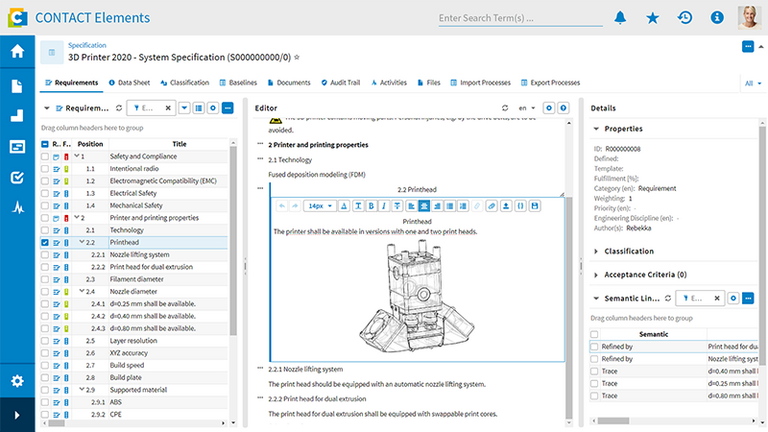
The integrated editor allows you to easily create and edit individual requirements and associated specifications. You can add layouts and image information to make content more illustrative. The Specification Editor offers smart features such as easy classification and evaluation of requirements, a practical preview, and batch modifications for efficient work. The employee responsible can effortlessly assign reviewers, who automatically receive tasks for specification review. The status of these review tasks is always transparent, ensuring a smooth approval process.
Intuitively capture and conveniently edit requirements
The integrated editor allows you to easily create and edit individual requirements and associated specifications. You can add layouts and image information to make content more illustrative. The Specification Editor offers smart features such as easy classification and evaluation of requirements, a practical preview, and batch modifications for efficient work. The employee responsible can effortlessly assign reviewers, who automatically receive tasks for specification review. The status of these review tasks is always transparent, ensuring a smooth approval process.
The integrated editor allows you to easily create and edit individual requirements and associated specifications. You can add layouts and image information to make content more illustrative. The Specification Editor offers smart features such as easy classification and evaluation of requirements, a practical preview, and batch modifications for efficient work. The employee responsible can effortlessly assign reviewers, who automatically receive tasks for specification review. The status of these review tasks is always transparent, ensuring a smooth approval process.
Visualize requirement relationships in the virtual product model
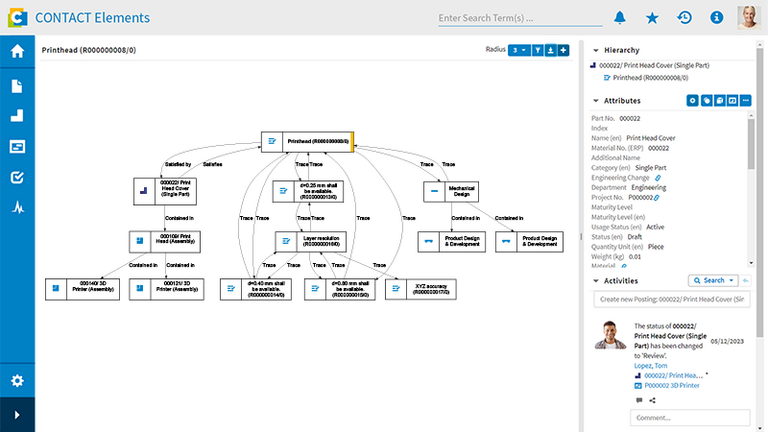
Semantic Links enable you to connect requirements with each other as well as with other objects such as components, tasks, or documents. This creates an interconnected requirements model that remains visible and traceable within the requirements specification. The resulting link graph visualizes complex relationships and allows you to identify the impact of changes early on and evaluate them precisely. Powerful filter and navigation functions ensure that you always maintain an overview, even with complex projects.
Visualize requirement relationships in the virtual product model
Semantic Links enable you to connect requirements with each other as well as with other objects such as components, tasks, or documents. This creates an interconnected requirements model that remains visible and traceable within the requirements specification. The resulting link graph visualizes complex relationships and allows you to identify the impact of changes early on and evaluate them precisely. Powerful filter and navigation functions ensure that you always maintain an overview, even with complex projects.
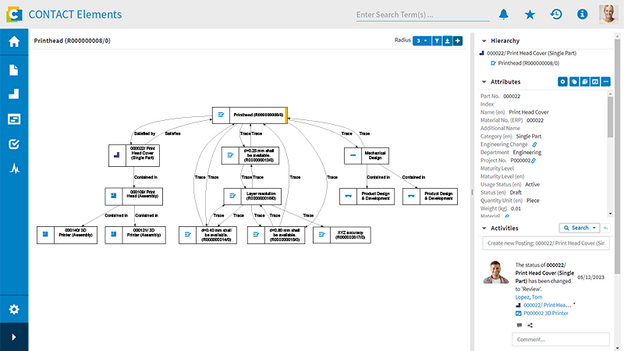
Semantic Links enable you to connect requirements with each other as well as with other objects such as components, tasks, or documents. This creates an interconnected requirements model that remains visible and traceable within the requirements specification. The resulting link graph visualizes complex relationships and allows you to identify the impact of changes early on and evaluate them precisely. Powerful filter and navigation functions ensure that you always maintain an overview, even with complex projects.
Track fulfillment status and utilize corrective measures
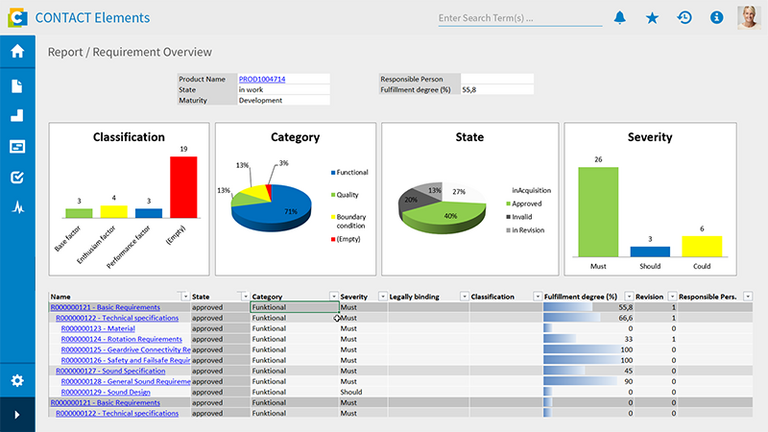
With CONTACT Elements Requirements Engineering, you monitor the fulfillment status of requirements – as standalone objects, in the context of the requirements specification, and in connection with tasks from the project plan. Target fulfillment can be recorded manually or automatically, for example, for the proportion of certain substances according to RoHS directives, for the maximum weight, or functional parameters. Clear graphical reports visualize the fulfillment status of your requirements. In case of significant deviations, you can directly initiate and track corrective measures within the system – entirely without separate tools or media breaks.
Track fulfillment status and utilize corrective measures
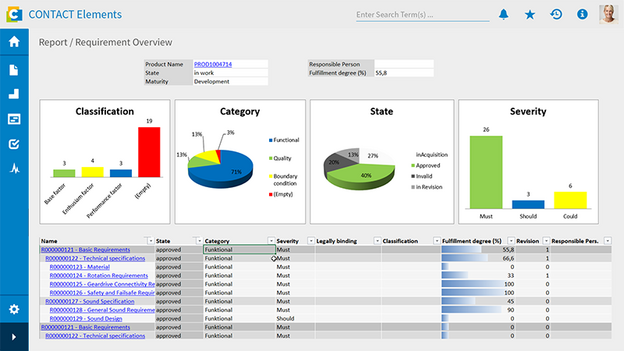
With CONTACT Elements Requirements Engineering, you monitor the fulfillment status of requirements – as standalone objects, in the context of the requirements specification, and in connection with tasks from the project plan. Target fulfillment can be recorded manually or automatically, for example, for the proportion of certain substances according to RoHS directives, for the maximum weight, or functional parameters. Clear graphical reports visualize the fulfillment status of your requirements. In case of significant deviations, you can directly initiate and track corrective measures within the system – entirely without separate tools or media breaks.
With CONTACT Elements Requirements Engineering, you monitor the fulfillment status of requirements – as standalone objects, in the context of the requirements specification, and in connection with tasks from the project plan. Target fulfillment can be recorded manually or automatically, for example, for the proportion of certain substances according to RoHS directives, for the maximum weight, or functional parameters. Clear graphical reports visualize the fulfillment status of your requirements. In case of significant deviations, you can directly initiate and track corrective measures within the system – entirely without separate tools or media breaks.
Provide practical support for Systems Engineering
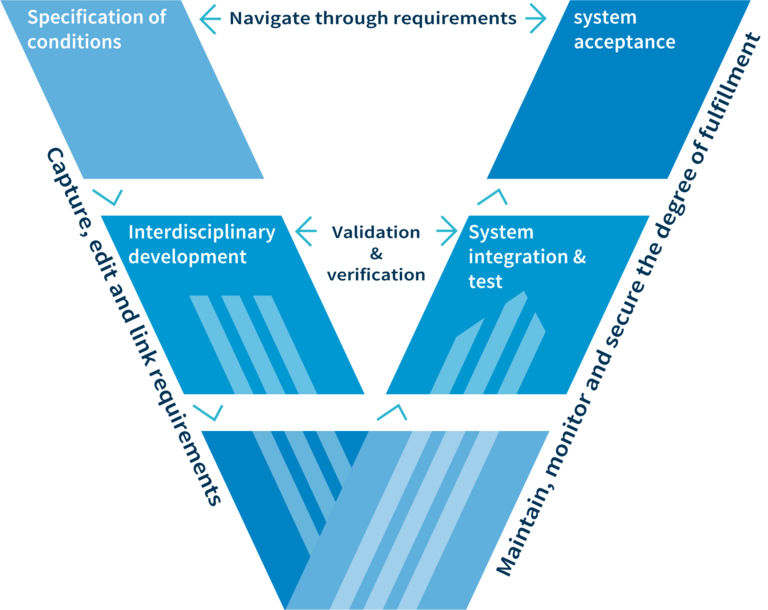
CONTACT Elements Requirements Engineering supports development according to the extended V-model. End-to-end, requirements-driven development is a crucial lever for effective Systems Engineering and Model-Based Systems Engineering (MBSE). This leads to maximum transparency, seamless traceability, comprehensive compliance, and reliably achieved objectives – throughout the entire development process and across all disciplines such as mechanics, E/E, and software.
Provide practical support for Systems Engineering
CONTACT Elements Requirements Engineering supports development according to the extended V-model. End-to-end, requirements-driven development is a crucial lever for effective Systems Engineering and Model-Based Systems Engineering (MBSE). This leads to maximum transparency, seamless traceability, comprehensive compliance, and reliably achieved objectives – throughout the entire development process and across all disciplines such as mechanics, E/E, and software.
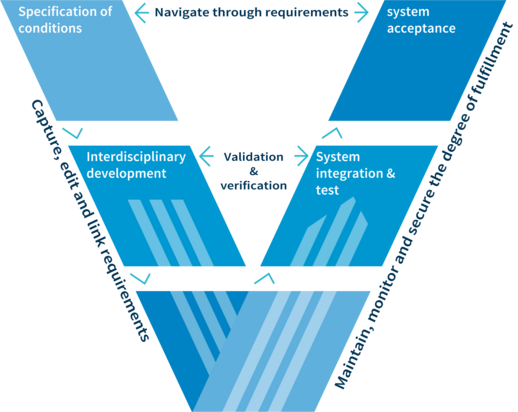
CONTACT Elements Requirements Engineering supports development according to the extended V-model. End-to-end, requirements-driven development is a crucial lever for effective Systems Engineering and Model-Based Systems Engineering (MBSE). This leads to maximum transparency, seamless traceability, comprehensive compliance, and reliably achieved objectives – throughout the entire development process and across all disciplines such as mechanics, E/E, and software.
Intelligently combine MBSE and PLM
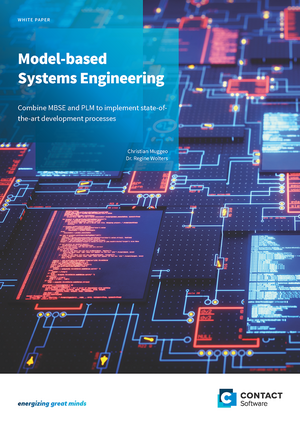
The continuously growing role of software in products is not only a major driver for innovative developments. It also leads to an enormous number of dependencies between disciplines and their respective work results. CONTACT Elements Requirements Engineering seamlessly integrates MBSE and PLM, allowing you to leverage the full potential of Model-Based Systems Engineering in a collaborative environment. Learn in our white paper how this integration simplifies and accelerates your development processes.
Requirements Engineering is tool qualified for ISO 26262 standards
CONTACT Elements is tool-qualified by TÜV Nord in accordance with ISO 26262. In addition to the CONTACT Elements platform, the international technology expert for security has certified the products CIM Database for PLM and Project Office for project management as well as Requirements Engineering and a number of other CONTACT Elements software modules. With this certification, TÜV Nord assures that our software fulfills the requirements of ISO 26262 for standards for software tools for the development of safety-relevant properties.
Related Elements
Document the lifecycle of documents and other PLM objects seamlessly
Trace the lifecycle of documents and PLM objects seamlessly with Audit Trails
Easily compile regulatory-relevant documents into folders
Ensure traceability with digital lifecycle records and improve the use of products and systems
Documentation Provide documentation faster and more reliably
Use integrated project and document management and best practices for your documentation
Integrate in-process documentation into the project plan intelligently and avoid time-consuming rework
Automatically generate documentation of deliverables
Ensure material compliance in the development process
Ensure a transparent view of the materials used in products
Make sure that only permitted materials are processed
Quality-tested delivery of regulated materials
Overview of all project tasks including context information
Use tasks to set the course for a smooth transition from project planning to implementation
Facilitate optimal self-organization for all project participants
Connect reliability with agility and keep track with multi-project mode
Track progress, improve performance, and achieve targets
Define indicators for products, projects, and processes to improve your performance
Specify target values for product attributes and record actions to be taken in the event of discrepancies
Keep an eye on your indicators and the success of actions taken at all times
Further information
Would you like to find out more about this topic? Choose one of the following information offers.

